Go to CRM>>Member group
进入 CRM >> 会员分组

**Note that only master account(if you have one) are able to edit the tier
**注意,只有主账号(如果有的话)才能编辑等级
Click on add level to add new tiering
点击“添加等级”以新增会员等级

Input the name and discount amount
输入等级名称和折扣金额
**If input 100 = no discount , 75 =15% discount
**如果输入 100 = 无折扣,75 = 15% 折扣 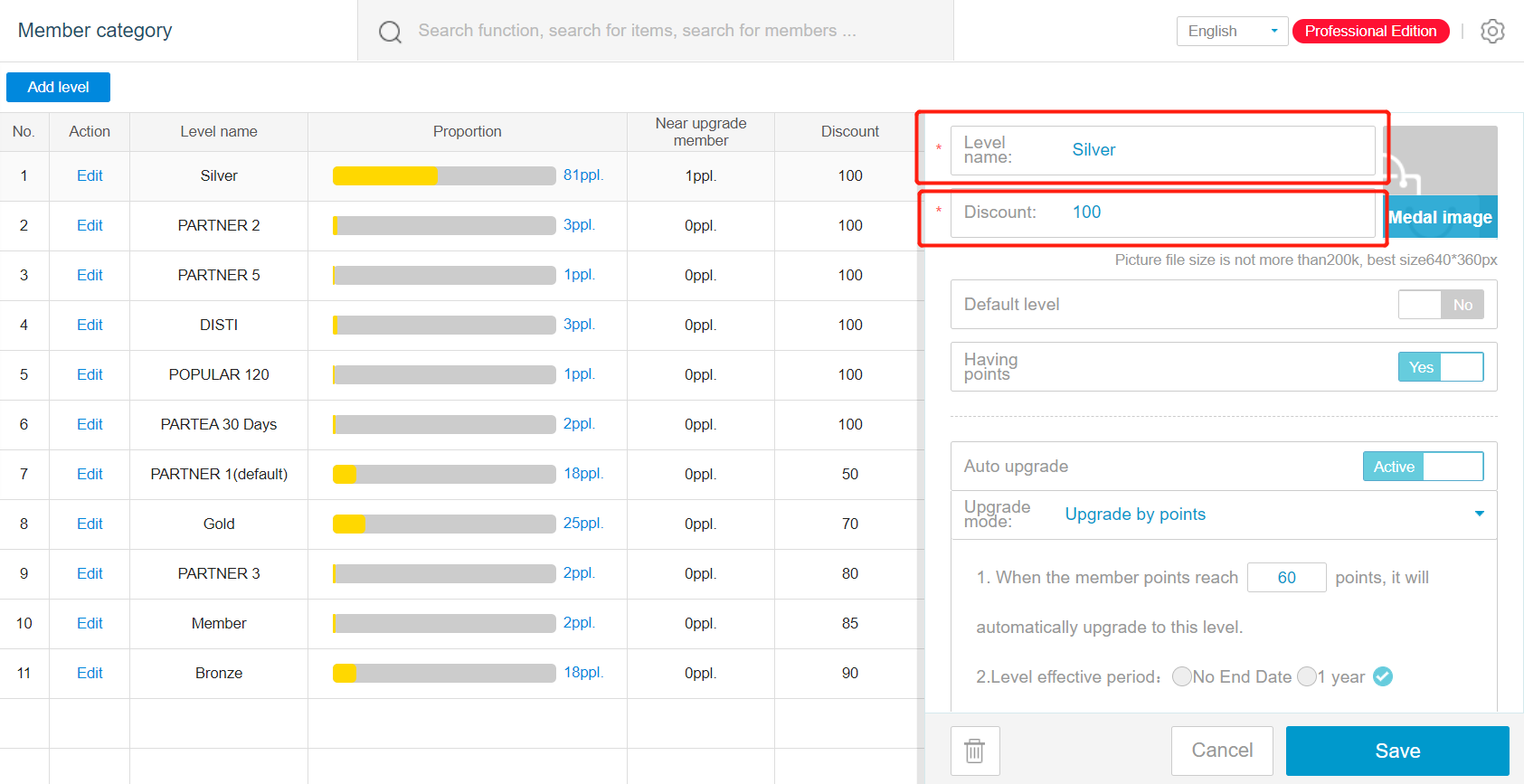
Create one tier as the default level, where new member will join the group.
创建一个等级作为默认等级,新会员将加入该等级
When creating default level, activate the default level
创建默认等级时,启用该默认等级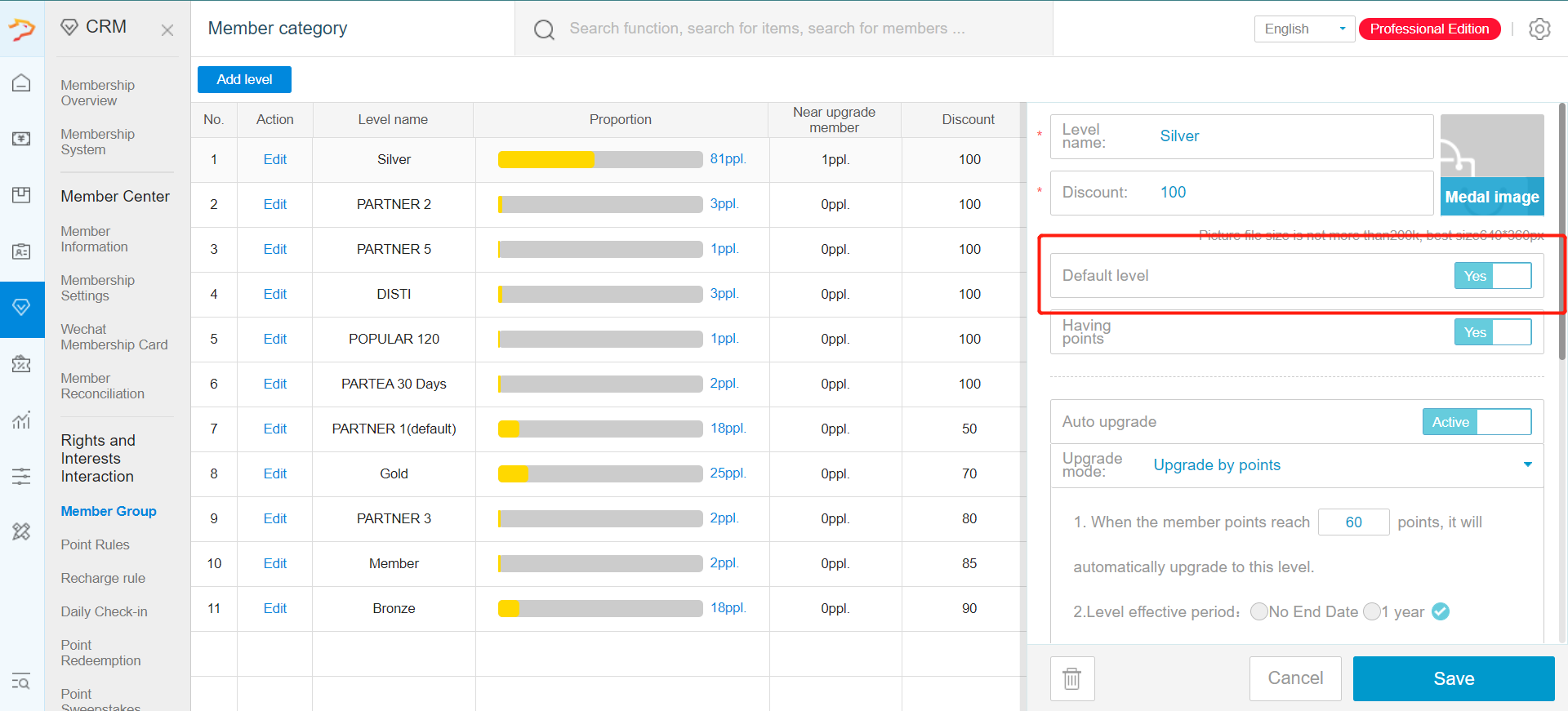
Afterward create the higher level tier .
之后创建更高级别的等级
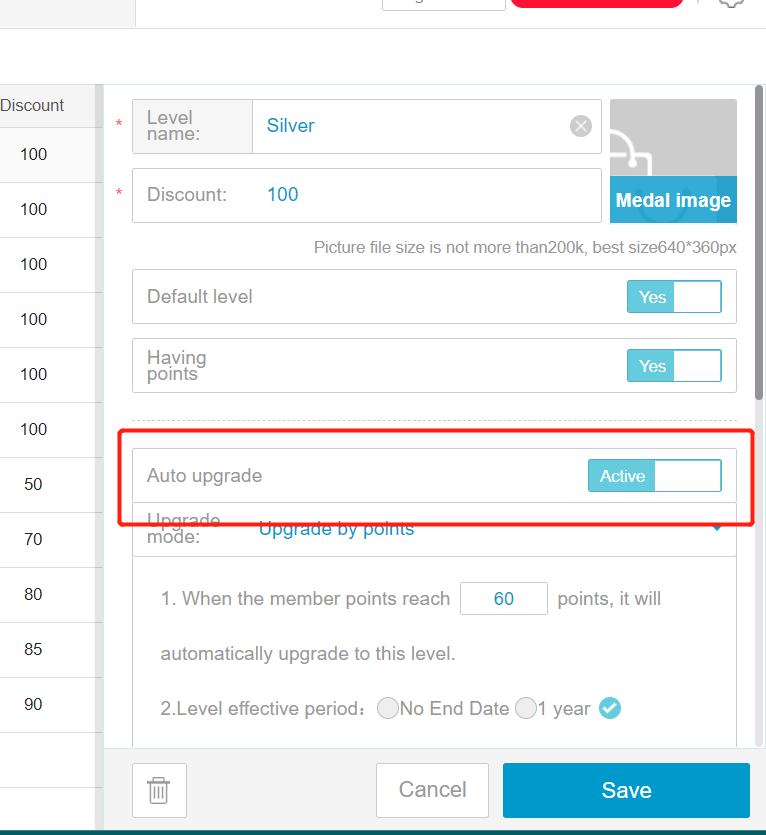
Enable Auto upgrade to allow member to upgrade their tier when certain condition are reached
启用自动升级,让会员在达到特定条件时自动升级等级
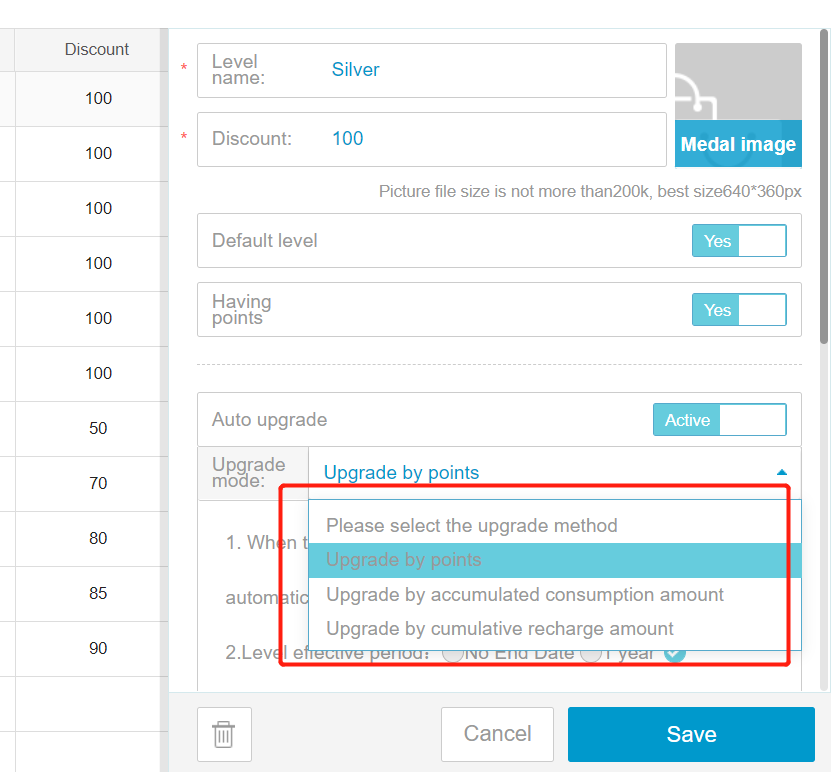
You can upgrade by points, consumption amount or total recharge amount
升级可依据积分、消费金额或累计充值金额
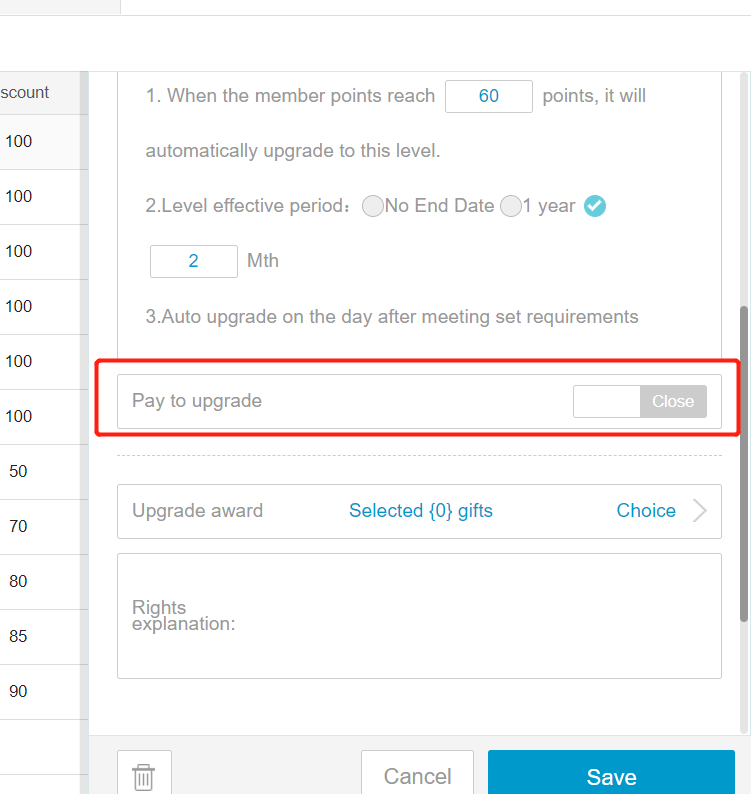
Pay to upgrade is for member to be able to pay for higher tier membership
付费升级允许会员通过支付获得更高等级会员资格
Upgrade award is to award gift when certain tier are reached. This is to promote member to reach for higher tier
升级奖励是在会员达到特定等级时赠送礼物,鼓励会员争取更高等级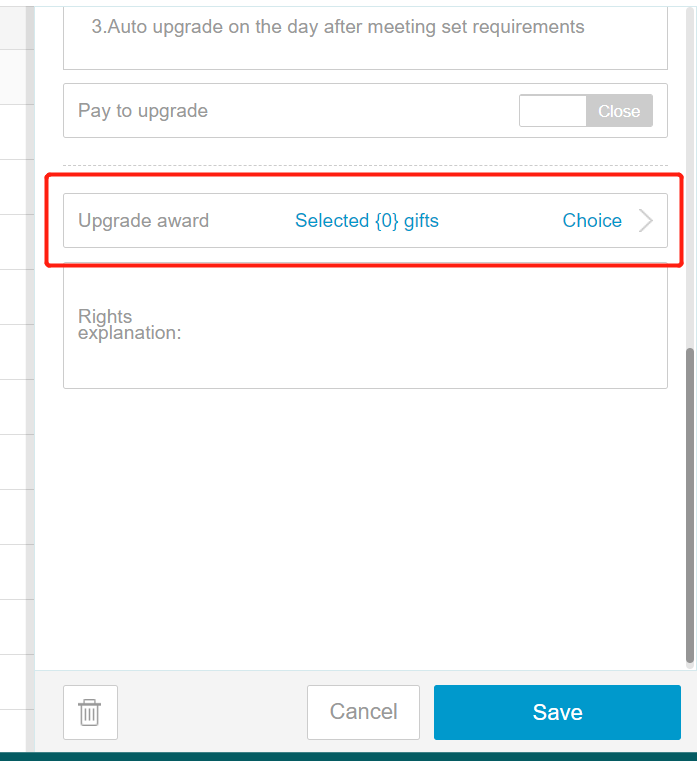
Remember to click on save when completing each tier.
完成每个等级设置后,记得点击保存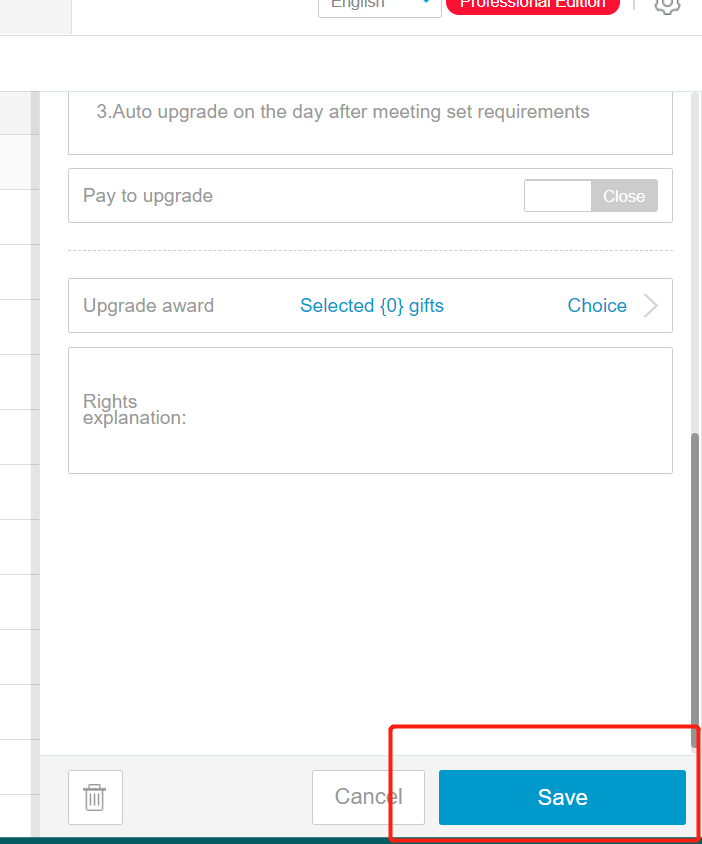
Comments
Post a Comment