How to set point system / cash rebates
如何设置积分系统 / 现金回馈
Point system and cash rebates would be helpful in creating loyalty in customer.
积分系统和现金回馈有助于提升客户忠诚度。
Follow the steps to create point system.
按照以下步骤设置积分系统:
Login to your back office
登录后台管理系统
- Select CRM category, then select Point Rules in subcategory.
选择 CRM(客户关系管理)分类,然后点击子分类 “Point Rules(积分规则)”
- There is the option of setting the point method on awarding points based on amount spent or based on product.
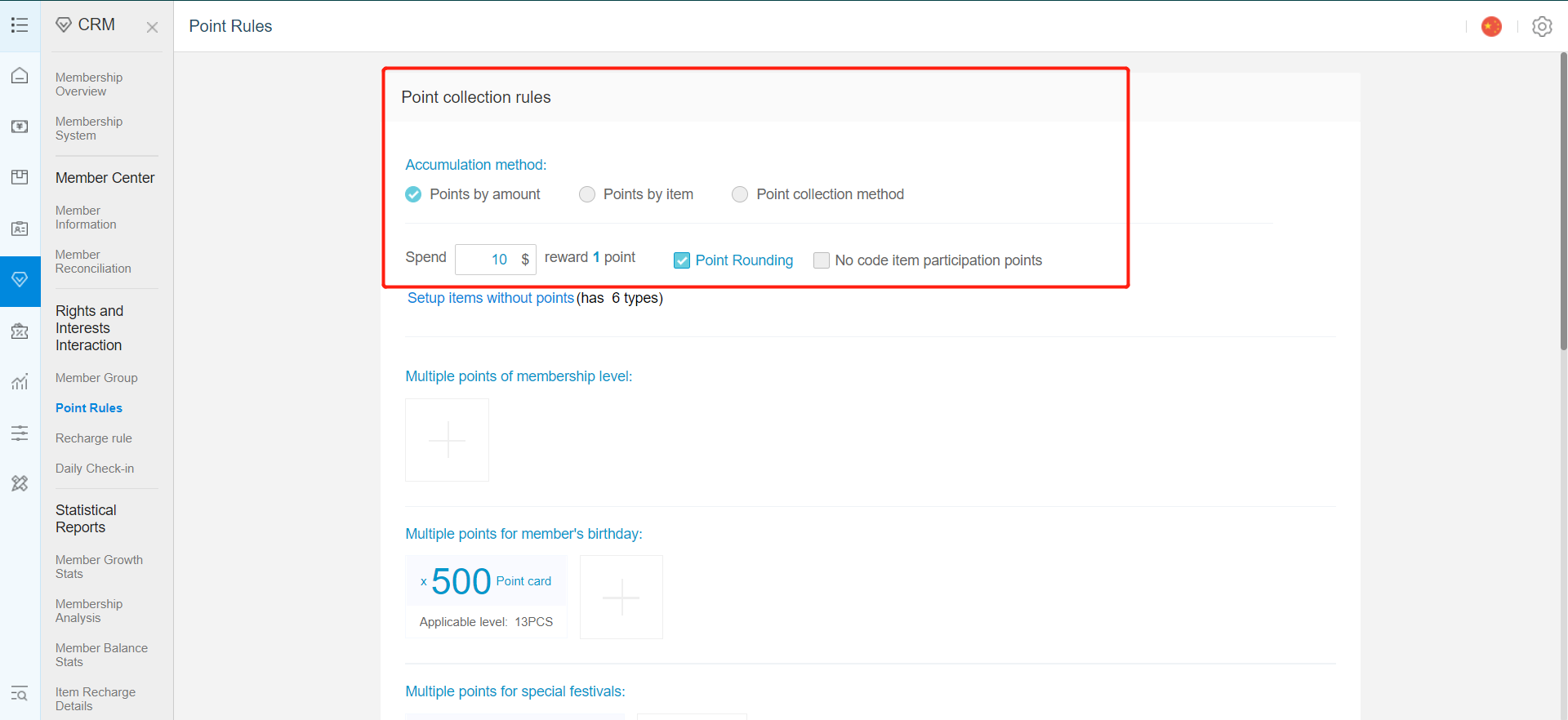
可以选择积分方式:按消费金额计算积分或按商品计算积分。 - For points based on amount spent, you could set the amount required to gain 1 points.
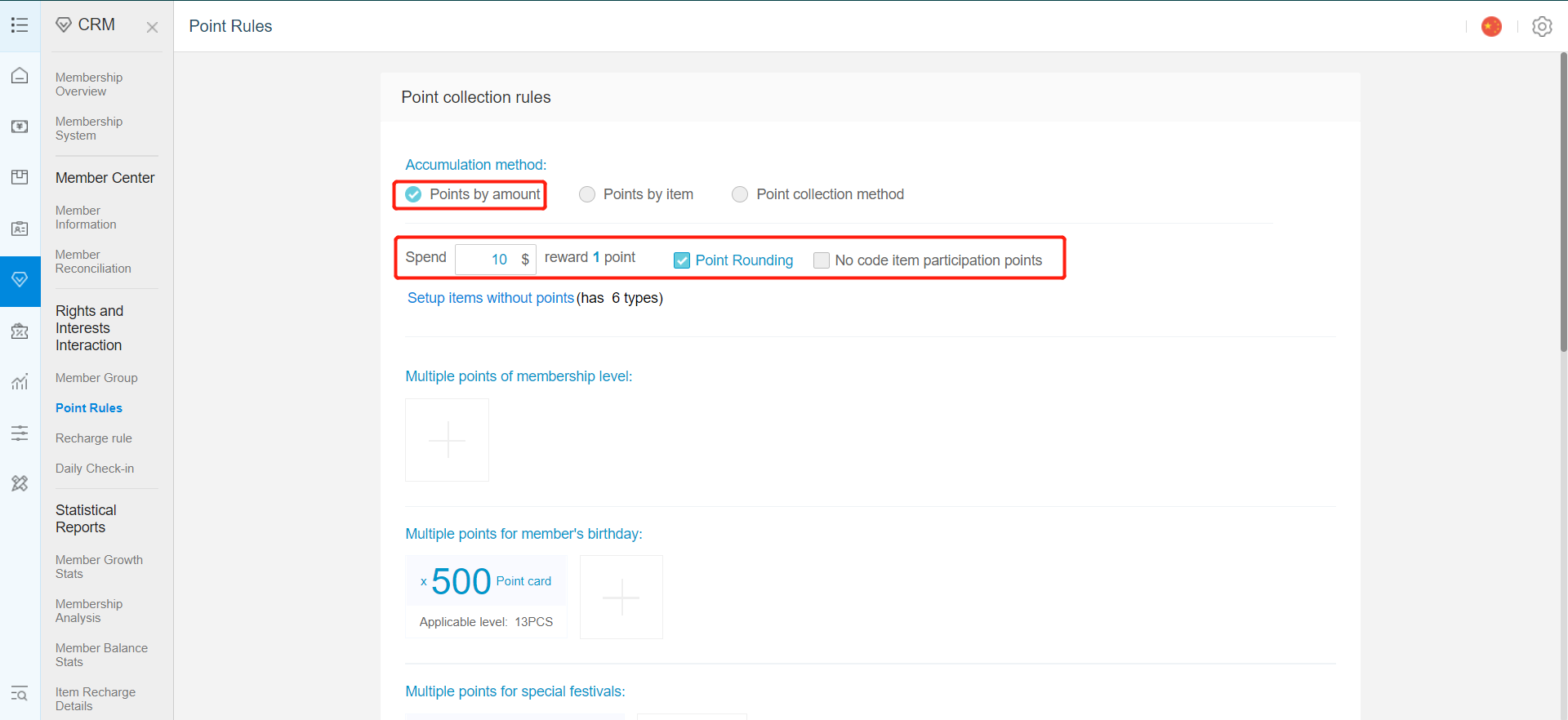
按消费金额计算积分:设置消费多少金额可获得 1 积分 - For reward base on product, you could set the point according to the product or the category
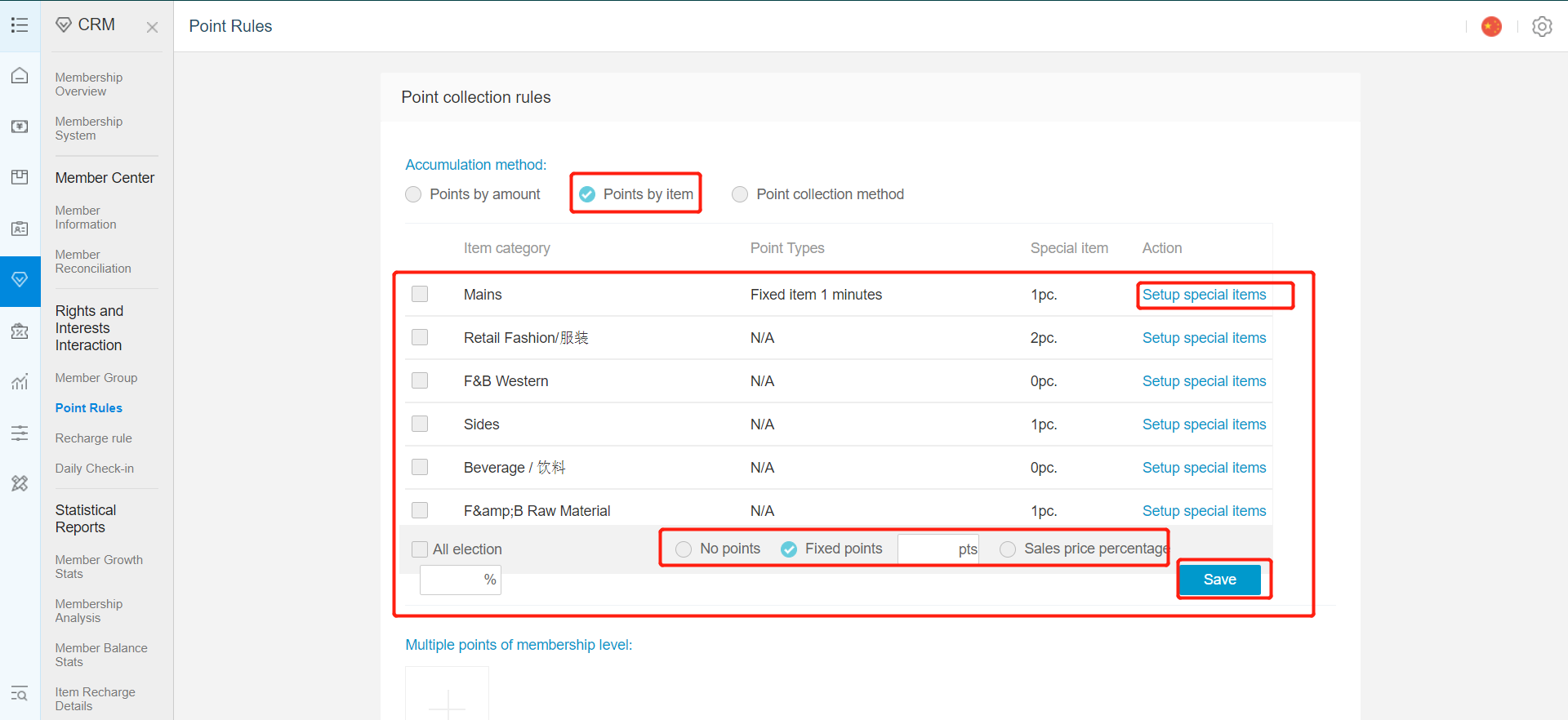
按商品计算积分:根据商品或类别设置积分
* If you want to set single /bulk of item to earn point , can click on "Setup special items" to select items.
如需为单个或批量商品设置积分,可点击 “Setup special items(设置特殊商品)” 进行选择

Besides that ,you could chose the type of point award for each category. To be based on fixed point or sales.
还可以为每个类别选择积分类型:固定积分或按销售额计算
5. In point system, there is the option of item redemption or cash rebate.
在积分系统中,可以选择商品兑换或现金回馈。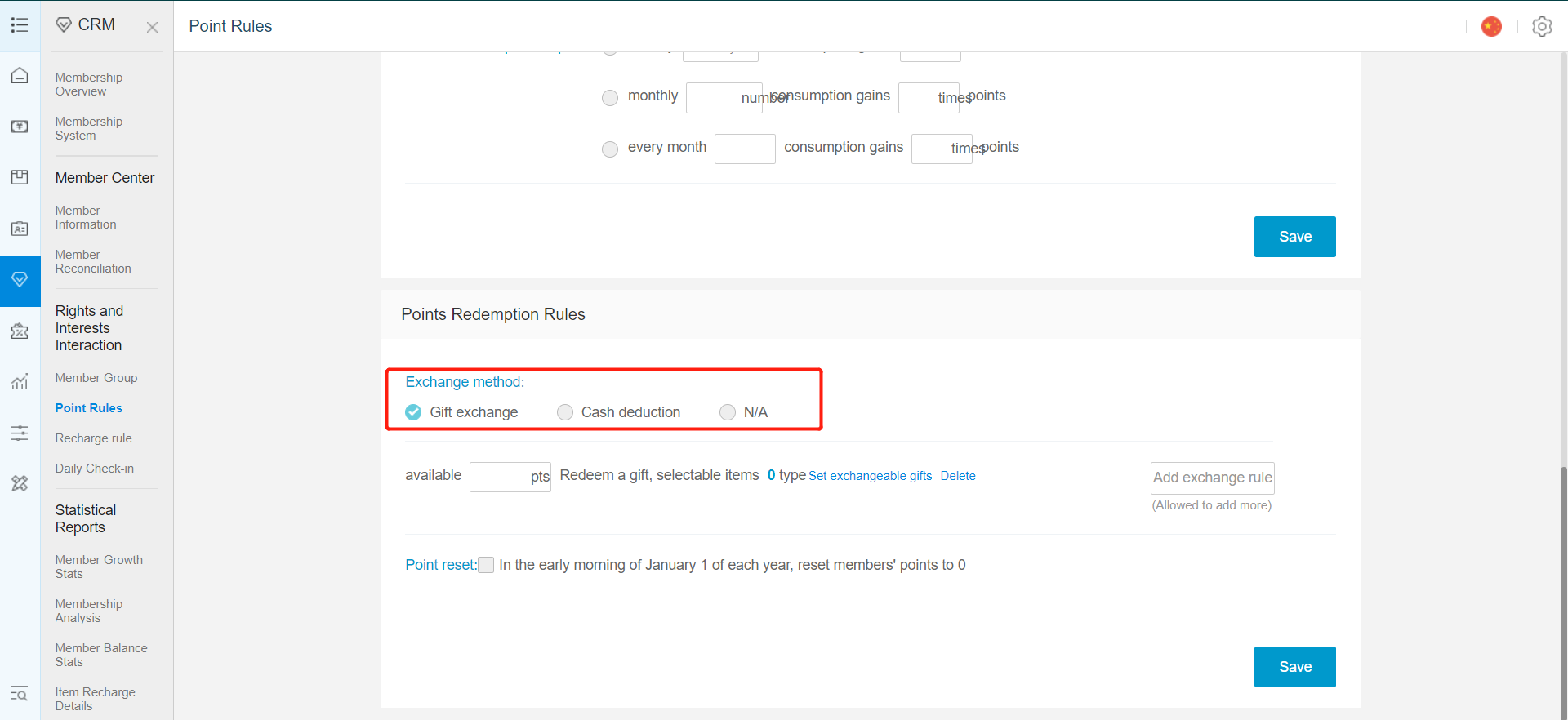
6. For item redemption, you could set the rule on the item exchanged and points require.
对于商品兑换,可设置可兑换商品及所需积分规则。
To set the item that could be exchanged, click on add exchangeable gifts.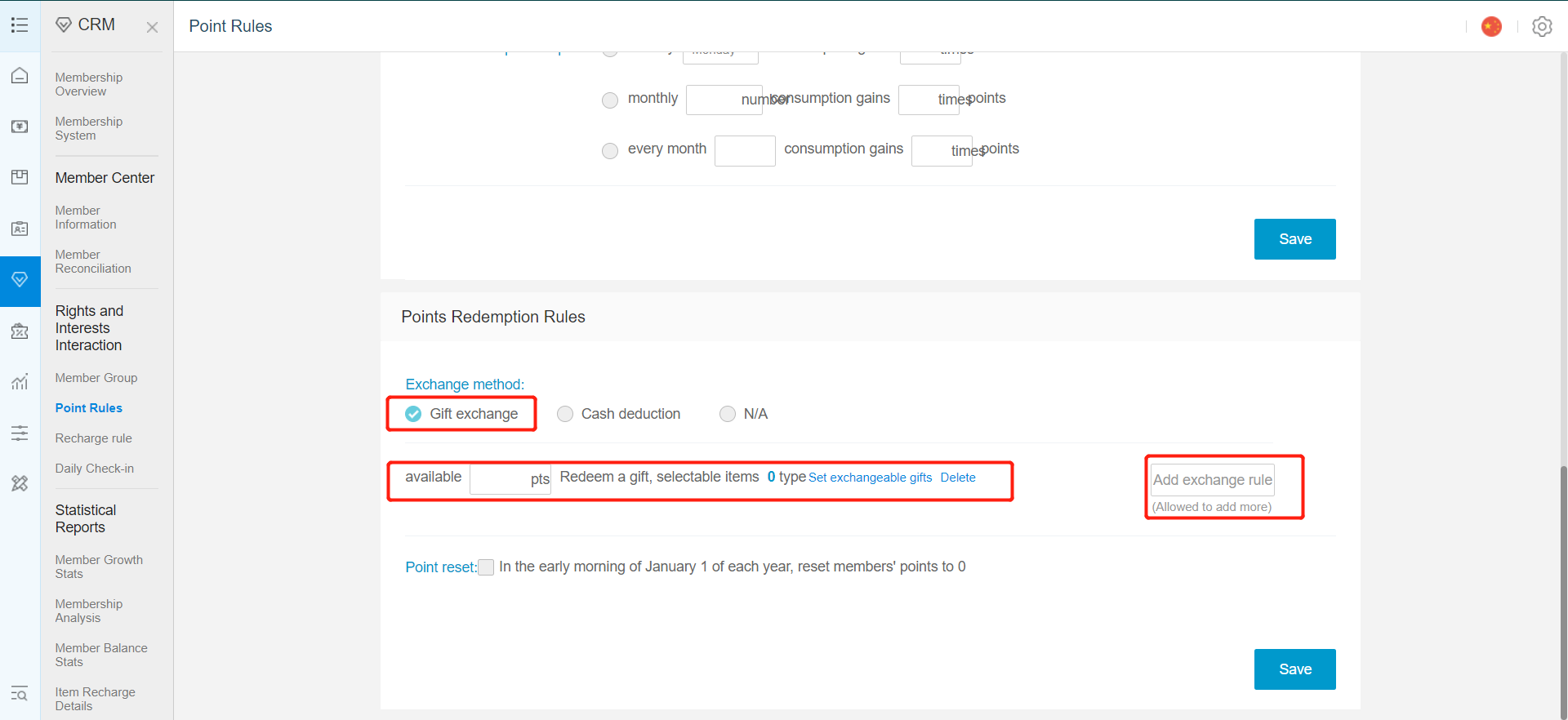
若要设置可兑换商品,点击 Add Exchangeable Gifts(新增可兑换商品)
7.Click on add item
点击 Add Item(新增商品)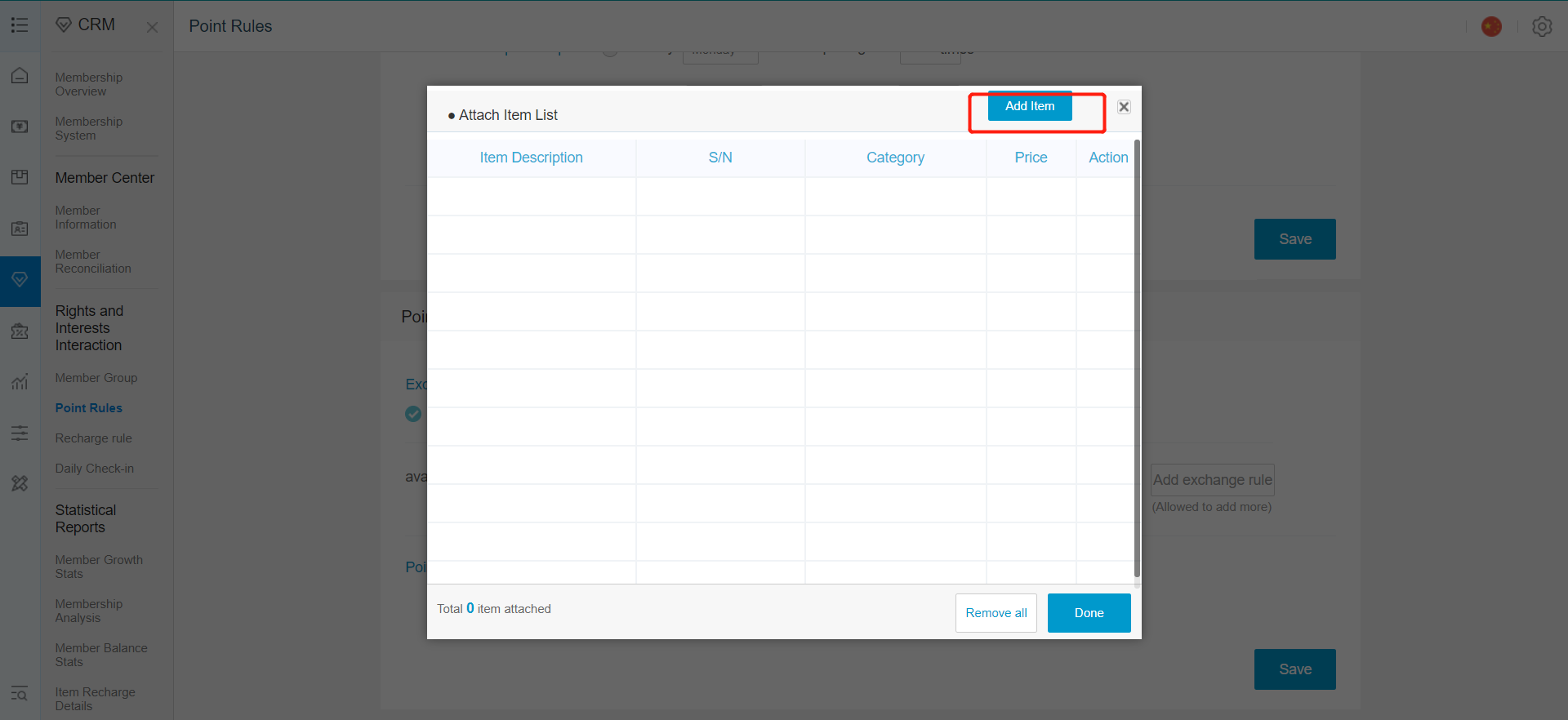
8.Search for item in the search bar
在搜索栏中查找商品
9.Click on add to add the item.
点击 Add(添加) 添加商品
10.Click Done
点击 Done(完成)
11.Click on Hide to go back.
点击 Hide(隐藏) 返回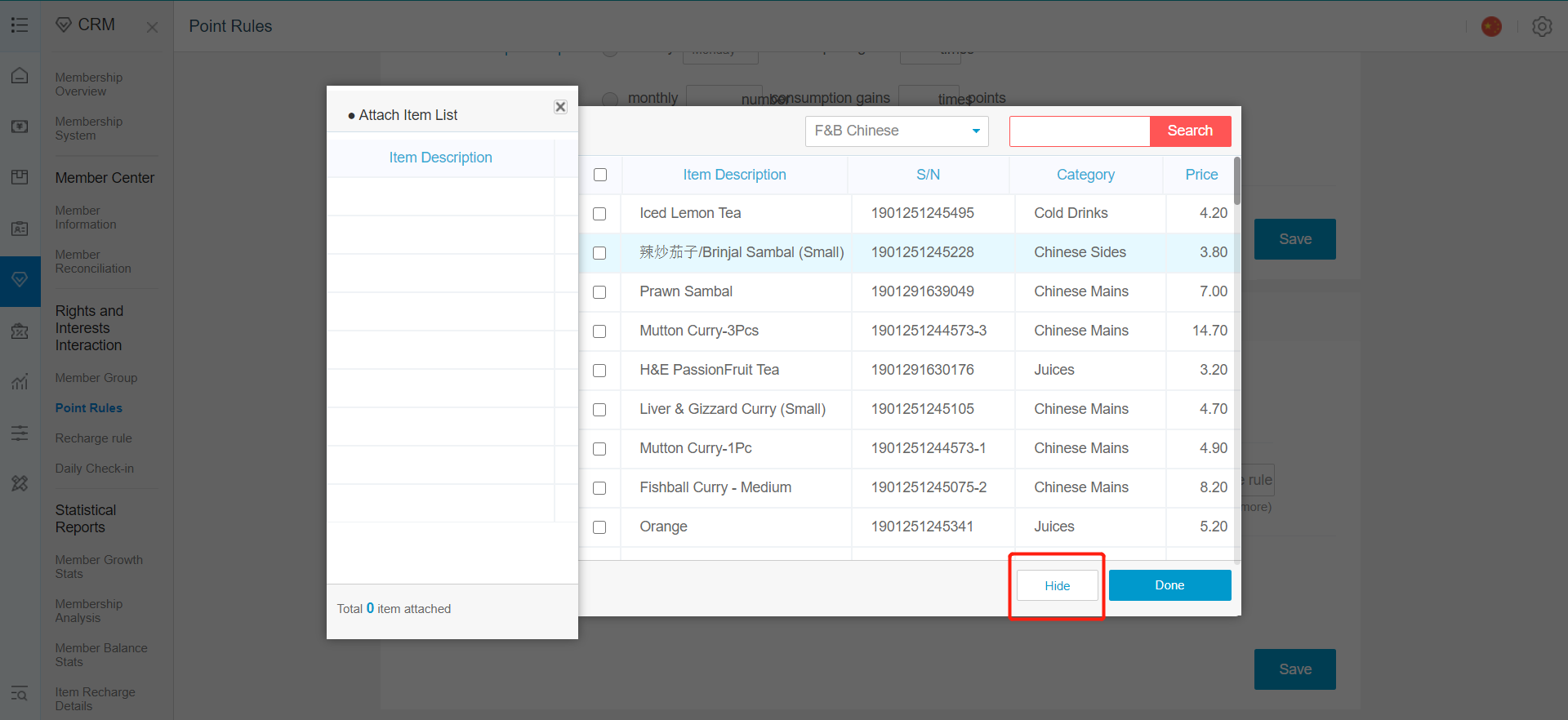
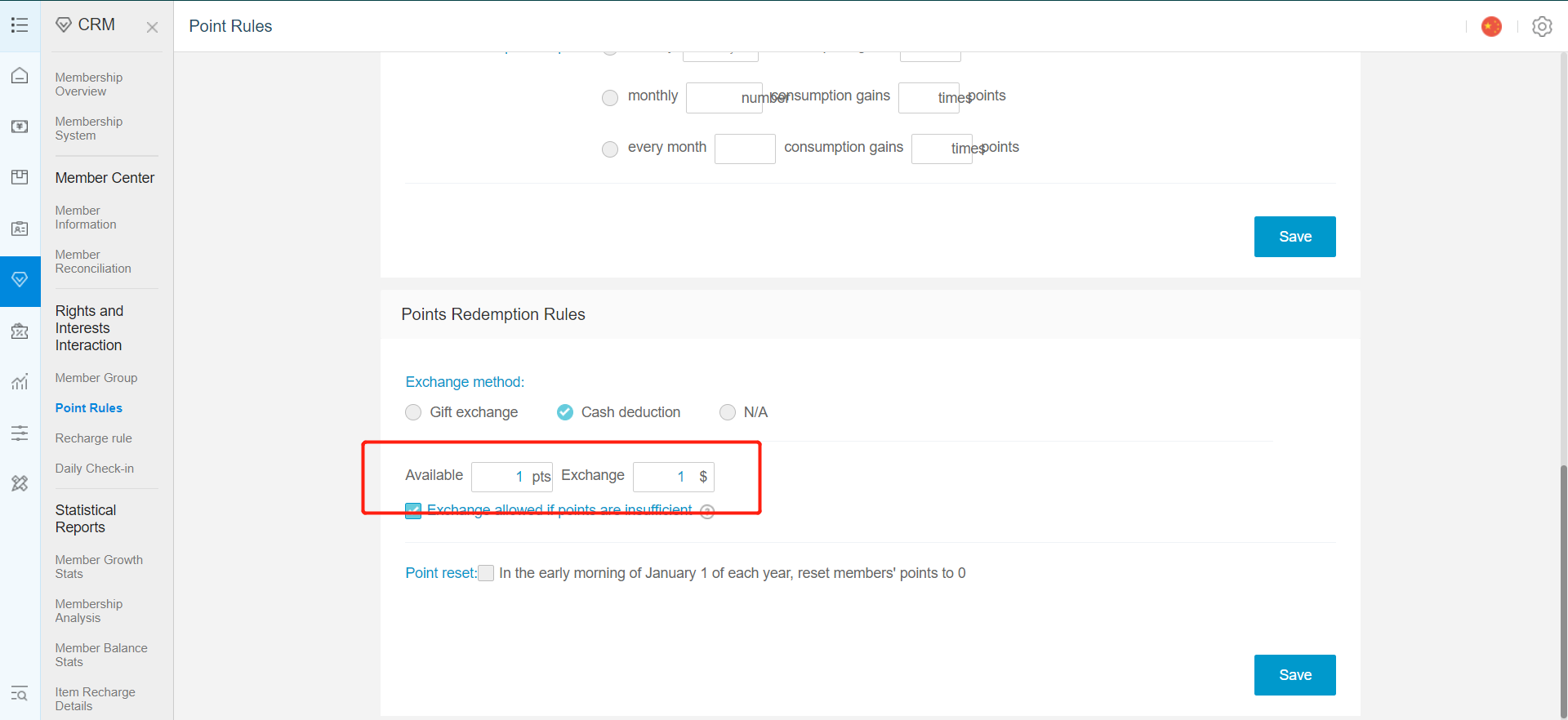
12.For cash rebate, select cash deduction.
选择 Cash Deduction(现金抵扣)
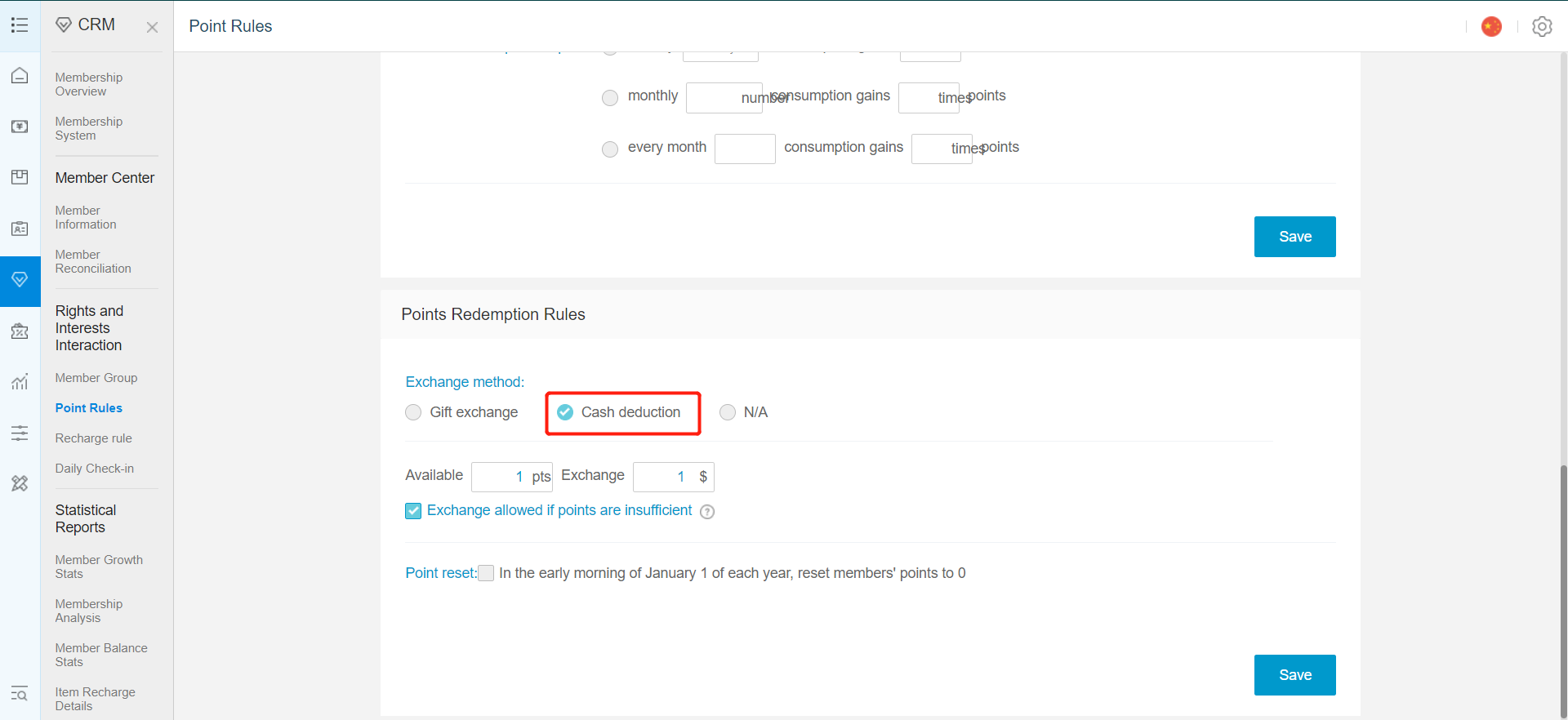
13.Then set the amount of rebate given for set amount of points.
设置积分对应的现金抵扣金额
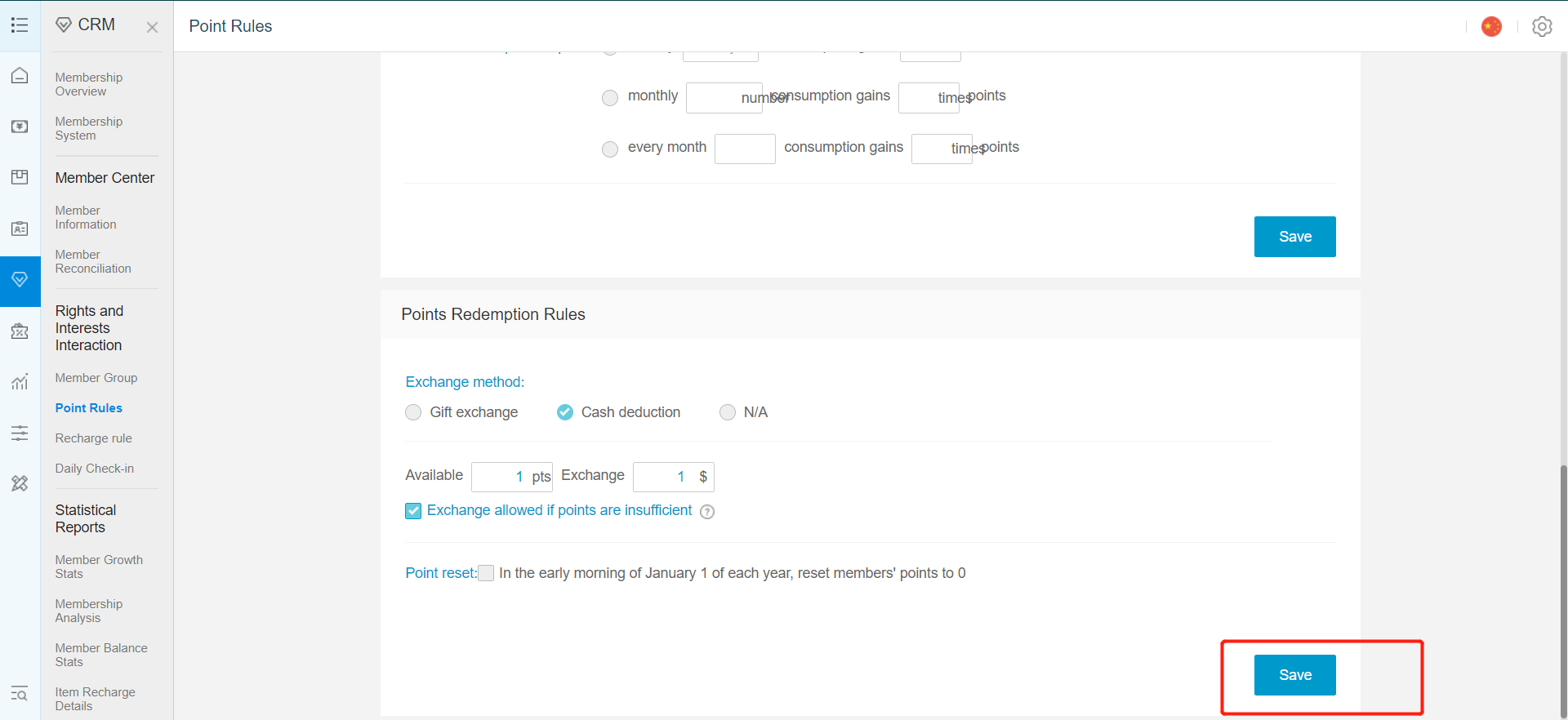
14.Click on save when every setting is done.
所有设置完成后,点击 Save(保存)
Comments
Post a Comment