There is no Mass Update function for members' setting in our back office. However, there is still a more efficient way to manage member info via the use of "Export" & "Import" option.
我们的后台没有会员设置的批量更新功能,但仍可通过“导出”和“导入”选项更高效地管理会员信息。
Follow the steps below to create a category:
请按照以下步骤创建分类:
- After you have logged in to your back office, click on "CRM" category
登录后台后,点击“CRM”分类 - Next, click on the "Member Information" sub-category
然后,点击“会员信息”子分类
- Click on "Export" to export list of current active members out in Microsoft Excel format
点击“导出”,以 Excel 格式导出当前活跃会员列表
- To modify the data, simply replace the data within the green field. Do not modify any data in the "Do Not Edit" column.
修改数据时,只需替换绿色字段内的数据,切勿修改“禁止编辑”列的数据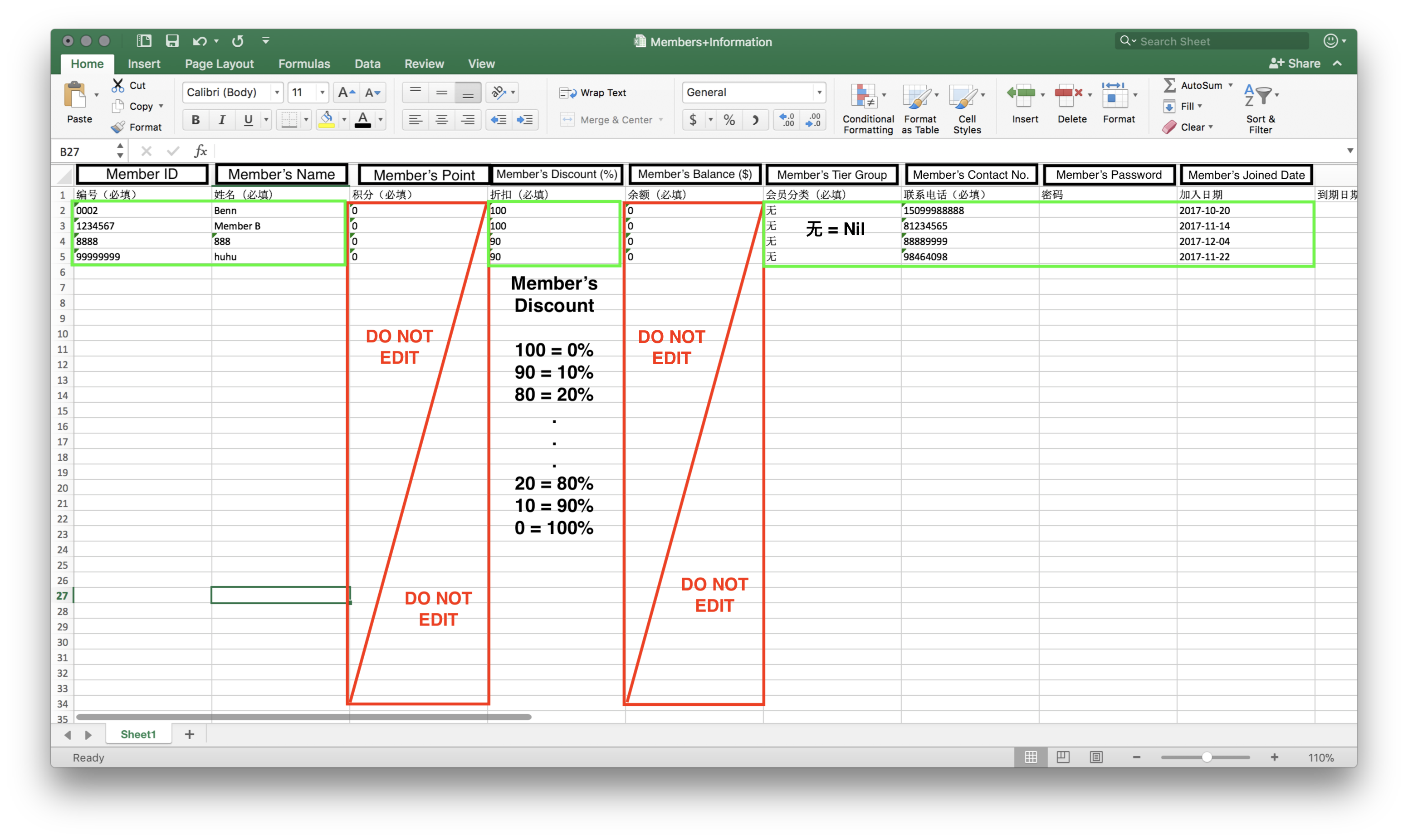
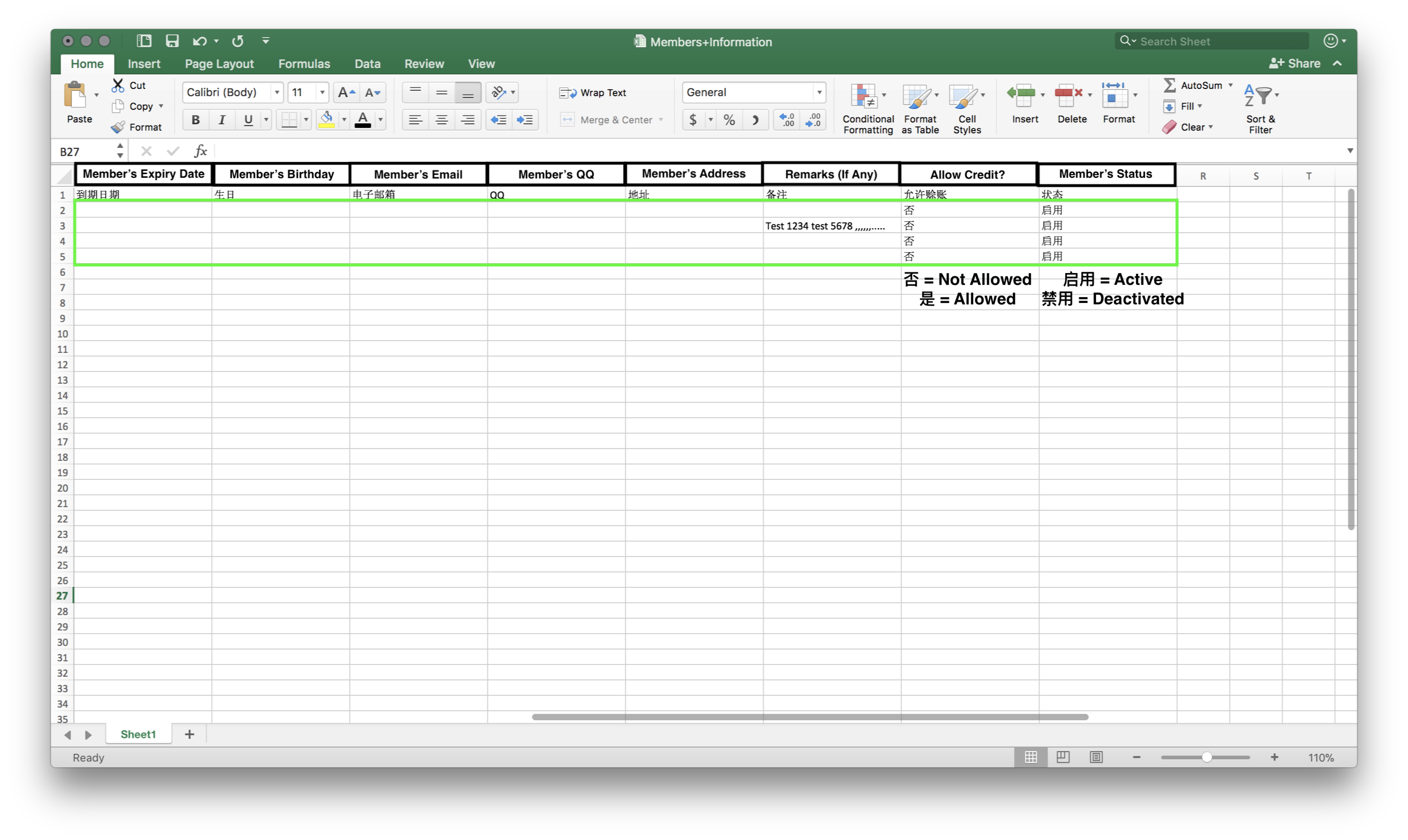
- Once done with the modification of data, remember to click on "Save" to save the changes made.
完成数据修改后,记得点击“保存”以保存更改 - Click on "Import" to upload the newly saved Excel file to override the existing data.
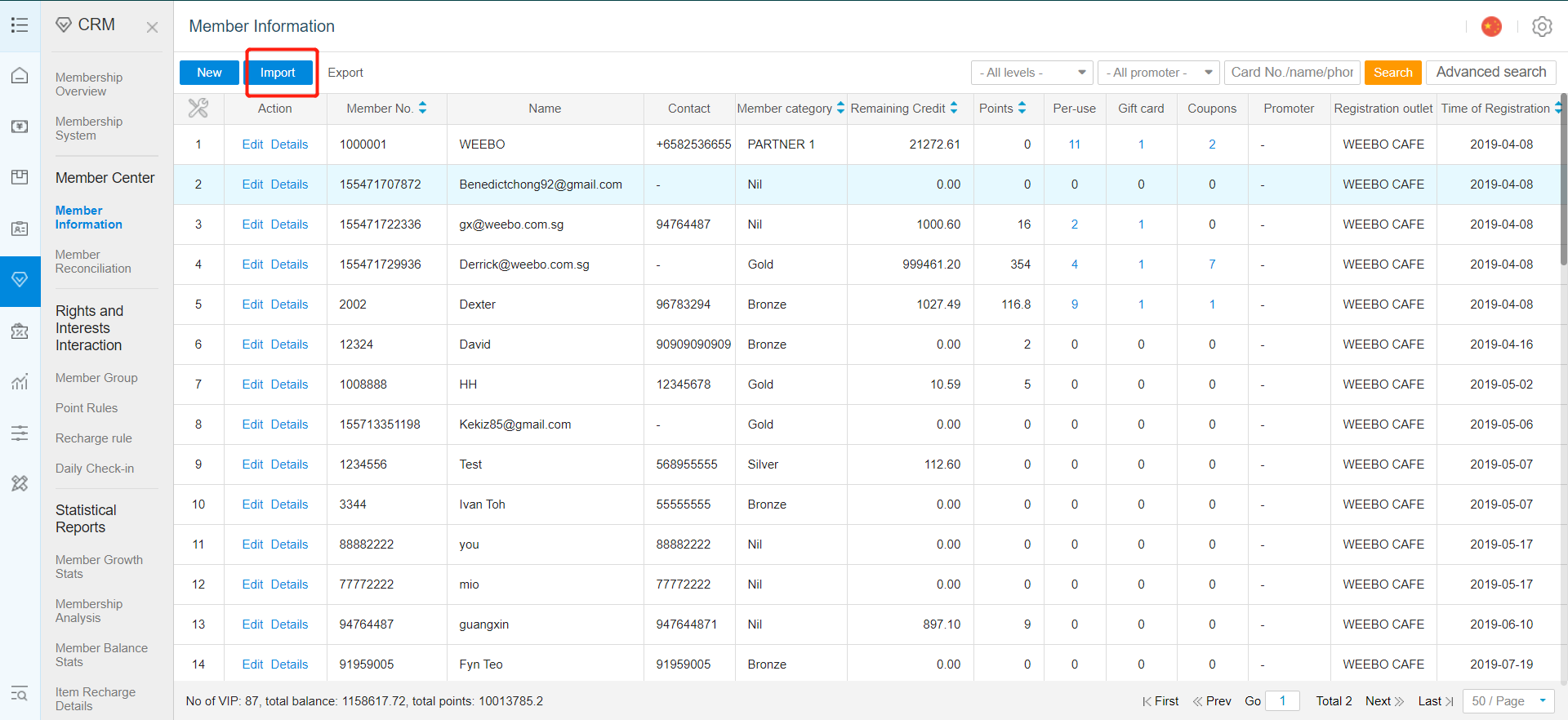
点击“导入”,上传刚保存的 Excel 文件以覆盖现有数据 - Click on "Select" to choose your newly modified document.
点击“选择”,选取刚修改的文档。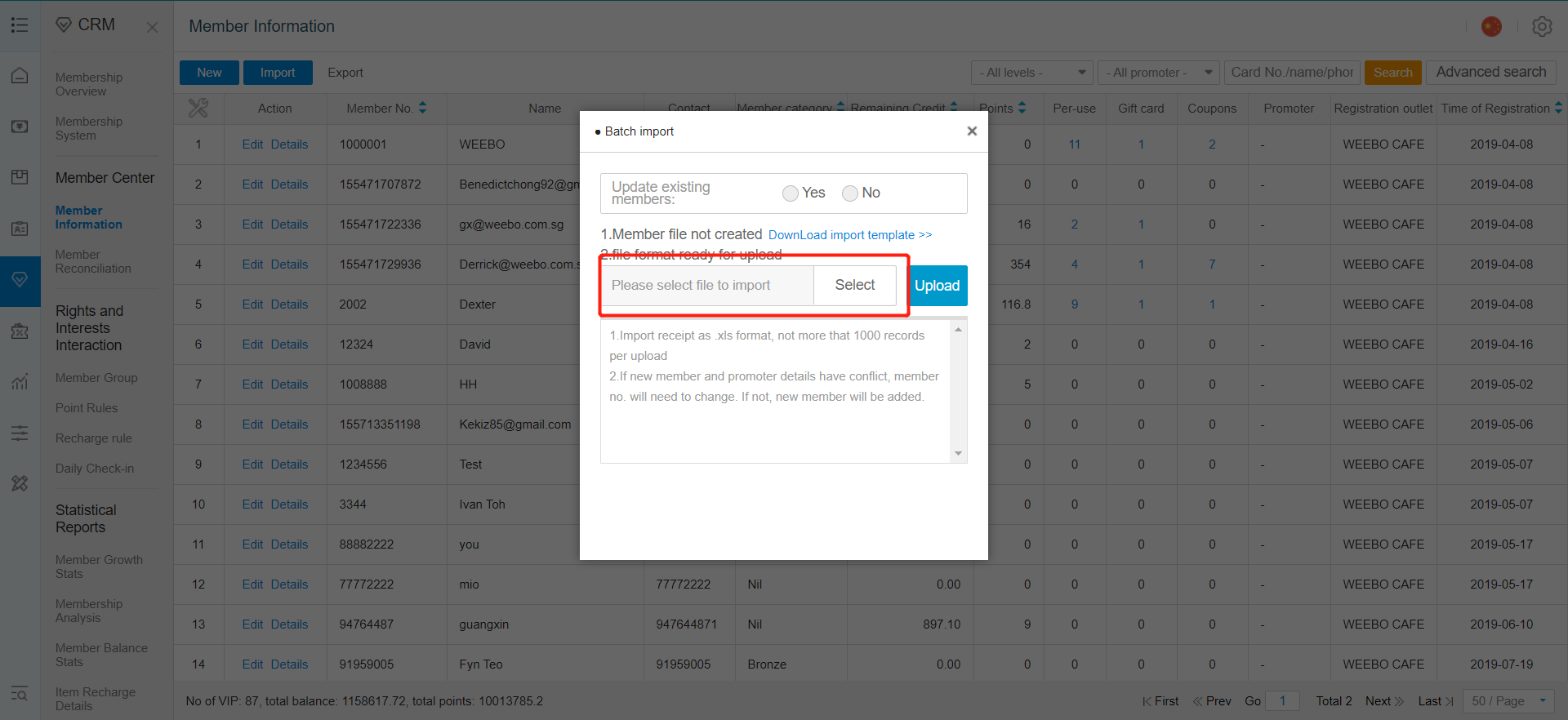
- After selection, click on "Upload".
选择后,点击“上传”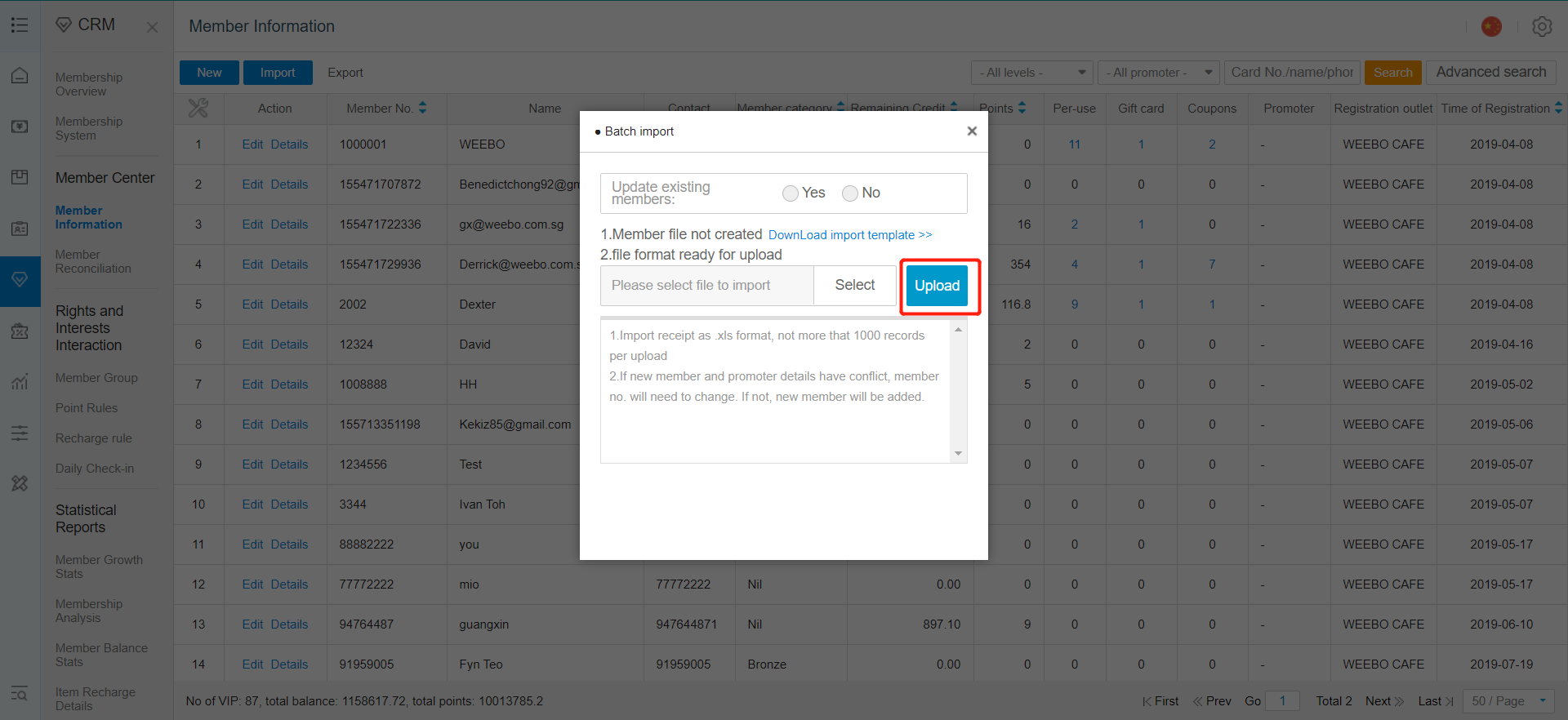
Successful data importation, old data has been replaced with the new changes.
数据导入成功,旧数据已被新更改替换。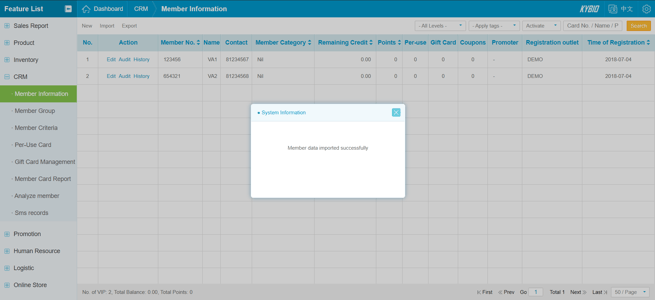


Comments
Post a Comment