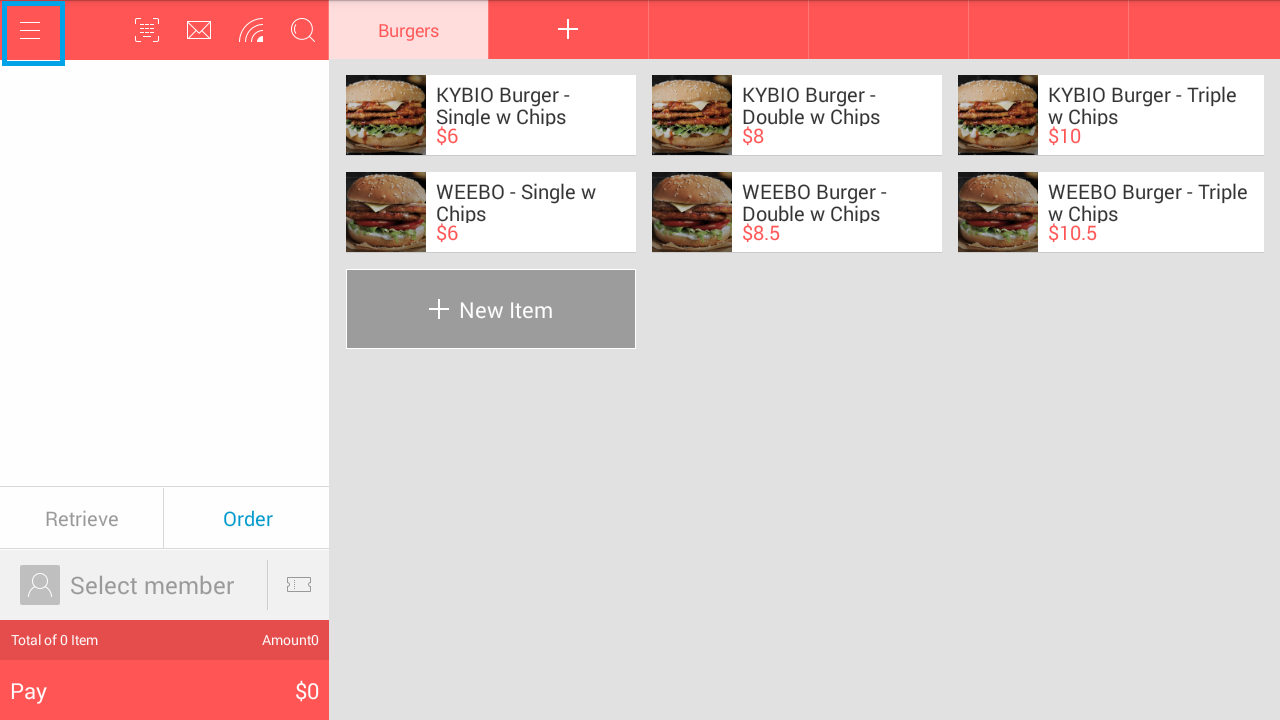
1st Step: Access Menu From Front Office
第一步:从前台进入菜单
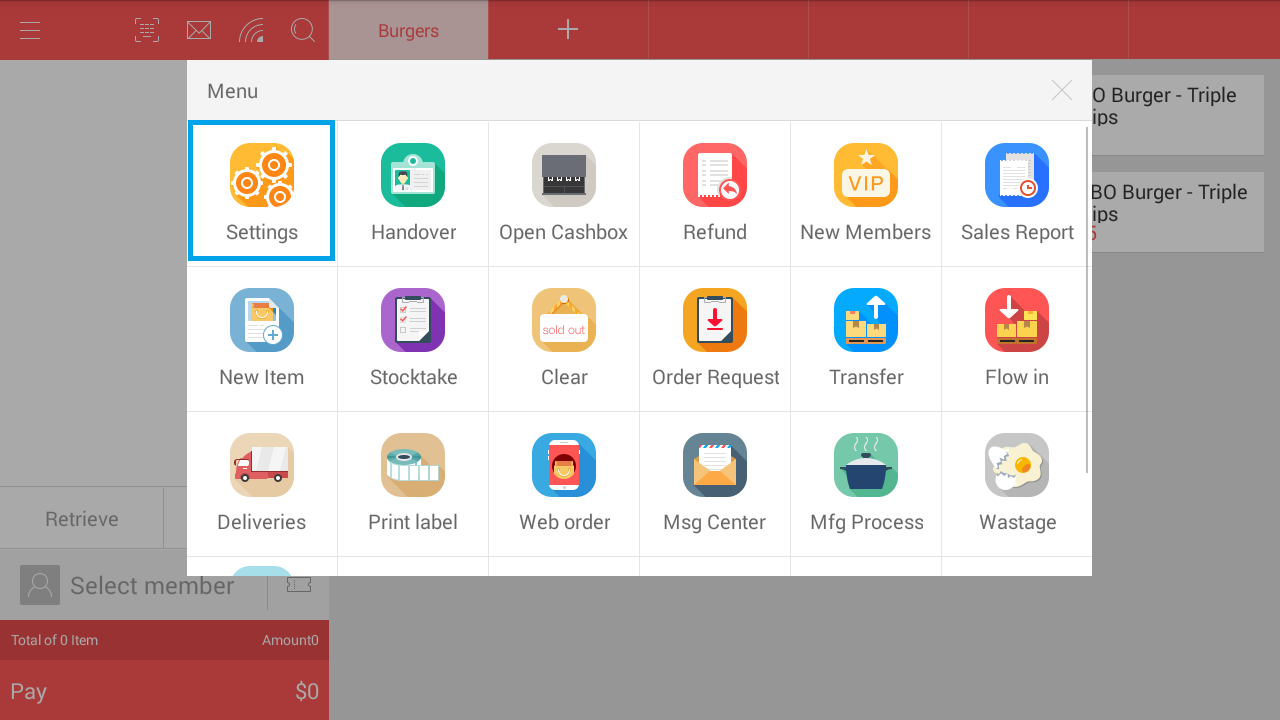
2nd Step: Access The Settings Page
第二步:进入设置页面
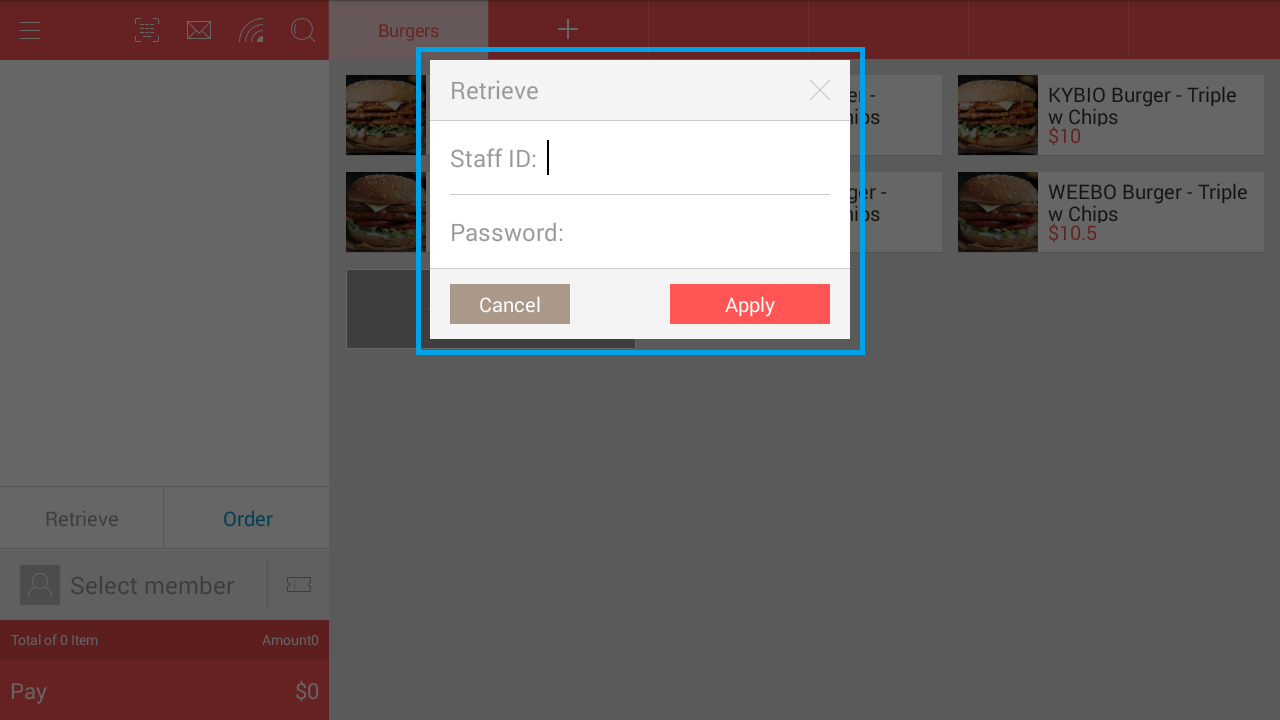
3rd Step: Login With Administrative Account When Prompted
第三步:根据提示登录管理员账号
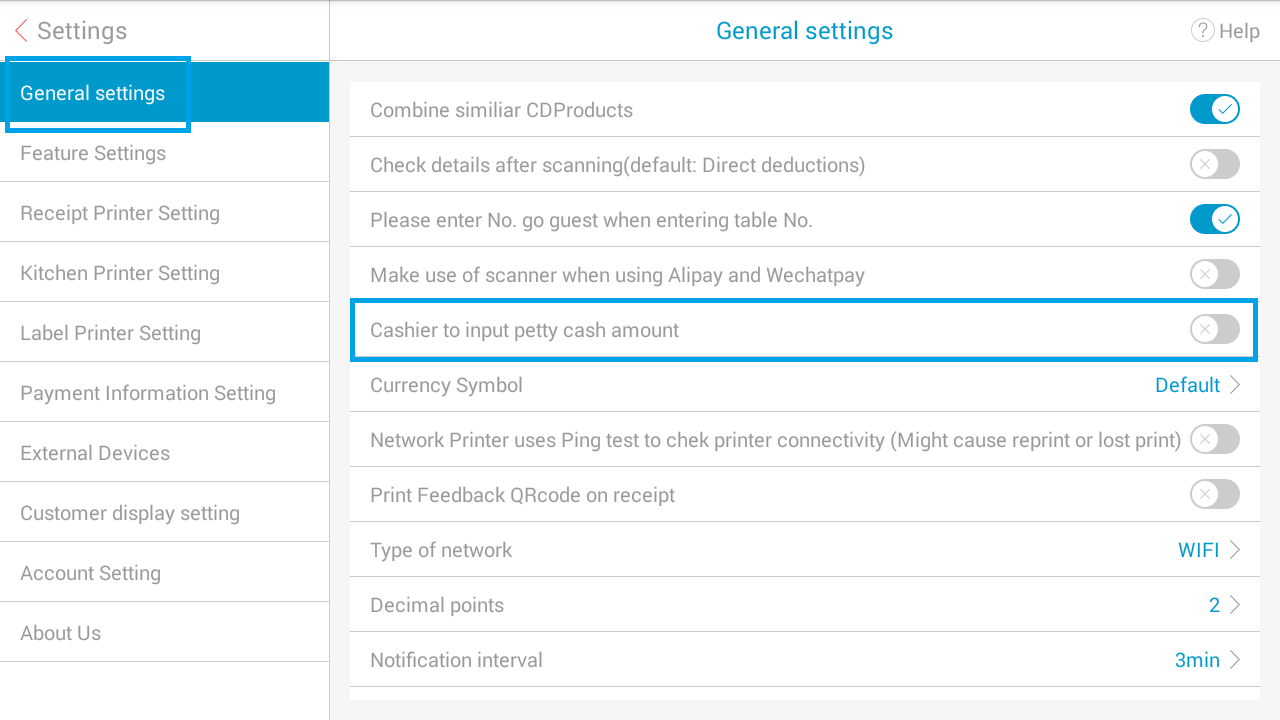
4th Step: Navigate to General Settings Tab, Enable/Disable Petty Cash Option
第四步:导航至常规设置选项卡,开启/关闭小额现金(零用金)选项
Comments
Post a Comment